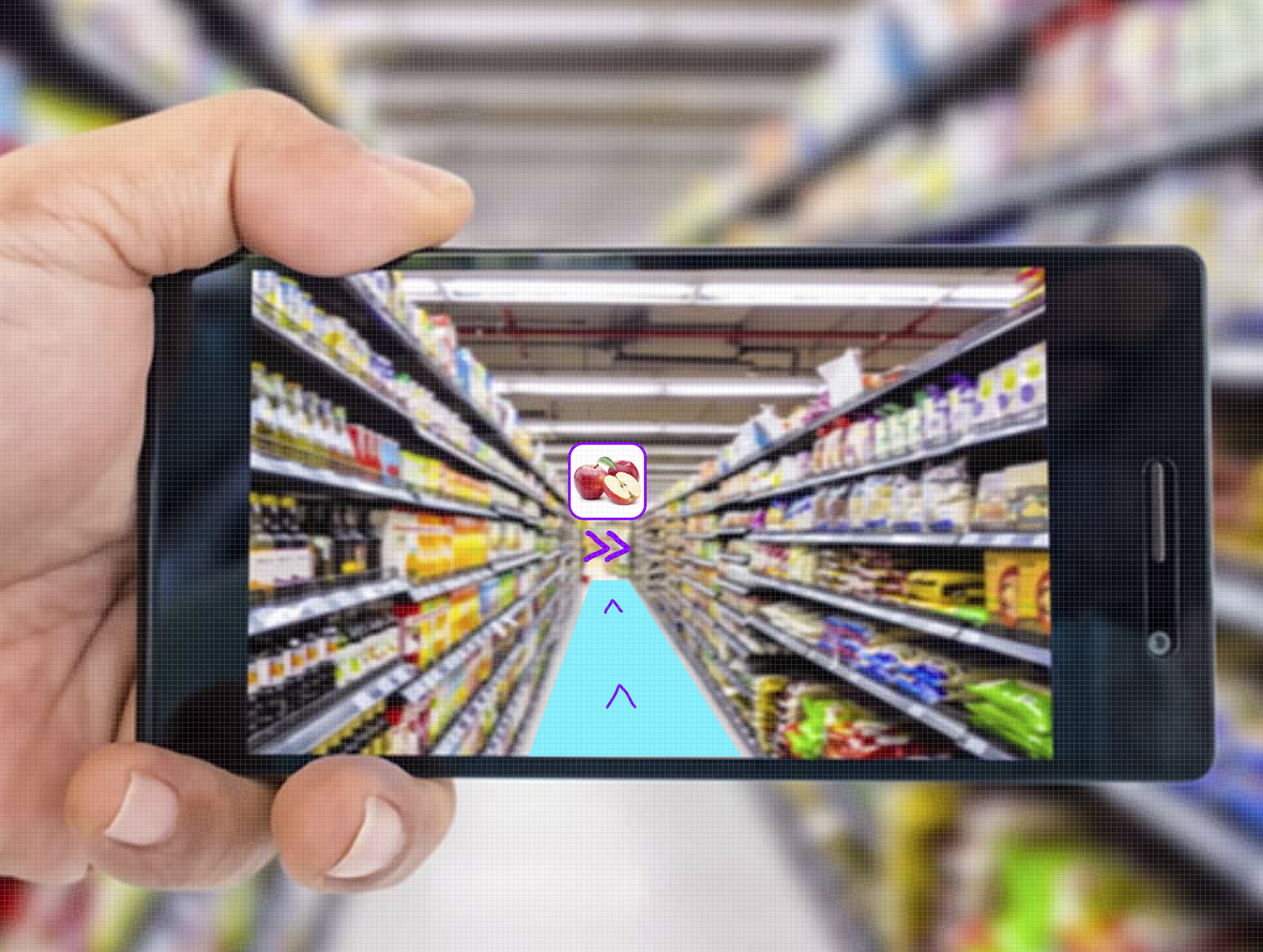
In the image above, I have visualized my concept "Speedy Errands AR." The user/customer is guided to the next product on their shopping list — in this case 'apples'.
Speedy Errands AR App
What problem are you solving, and what situation are you improving?
As a customer, you often go to the supermarket to do your shopping. You usually bring a shopping list with you, whether it is on paper or digital. When entering the supermarket through the gates, customers often immediately look at the shopping list they have at hand. Some ‘smart’ (and experienced) customers — who have already visited the same supermarket many times — organize their shopping list while writing it, grouping products that belong together or arranging them roughly based on where the shelves are located. Yet, there is still that moment when you are almost heading out the front door of your house and suddenly think: "Shoot, I forgot the tomatoes."
You then often unconsciously place the tomatoes (the last, almost forgotten product) at the bottom of the list. But what happens next? You carefully go through the list, which is fairly well organized. Then, as you reach the end of the list and are already close to the checkout, you suddenly see the ‘tomatoes’ again…
Well, then you have to go all the way back to the vegetable section, which is located at the front of the supermarket...
Finally, there are also customers who do not even think about organizing their shopping lists. They simply write down their groceries in a random order, whatever comes to mind. This will inevitably result in a chaotic (user) journey/user experience throughout the supermarket.
In short, in this case you'll end up running back and forth, which is of course very inefficient and can sometimes be time‑consuming — especially if you are a busy full‑time parent trying to get your groceries done quickly.
What problem are you solving, and what situation are you improving?
As a customer, you often go to the supermarket to do your shopping. You usually bring a shopping list with you, whether it is on paper or digital. When entering the supermarket through the gates, customers often immediately look at the shopping list they have at hand. Some ‘smart’ (and experienced) customers — who have already visited the same supermarket many times — organize their shopping list while writing it, grouping products that belong together or arranging them roughly based on where the shelves are located. Yet, there is still that moment when you are almost heading out the front door of your house and suddenly think: "Shoot, I forgot the tomatoes."
You then often unconsciously place the tomatoes (the last, almost forgotten product) at the bottom of the list. But what happens next? You carefully go through the list, which is fairly well organized. Then, as you reach the end of the list and are already close to the checkout, you suddenly see the ‘tomatoes’ again…
Well, then you have to go all the way back to the vegetable section, which is located at the front of the supermarket...
Finally, there are also customers who do not even think about organizing their shopping lists. They simply write down their groceries in a random order, whatever comes to mind. This will inevitably result in a chaotic (user) journey/user experience throughout the supermarket.
In short, in this case you'll end up running back and forth, which is of course very inefficient and can sometimes be time‑consuming — especially if you are a busy full‑time parent trying to get your groceries done quickly.
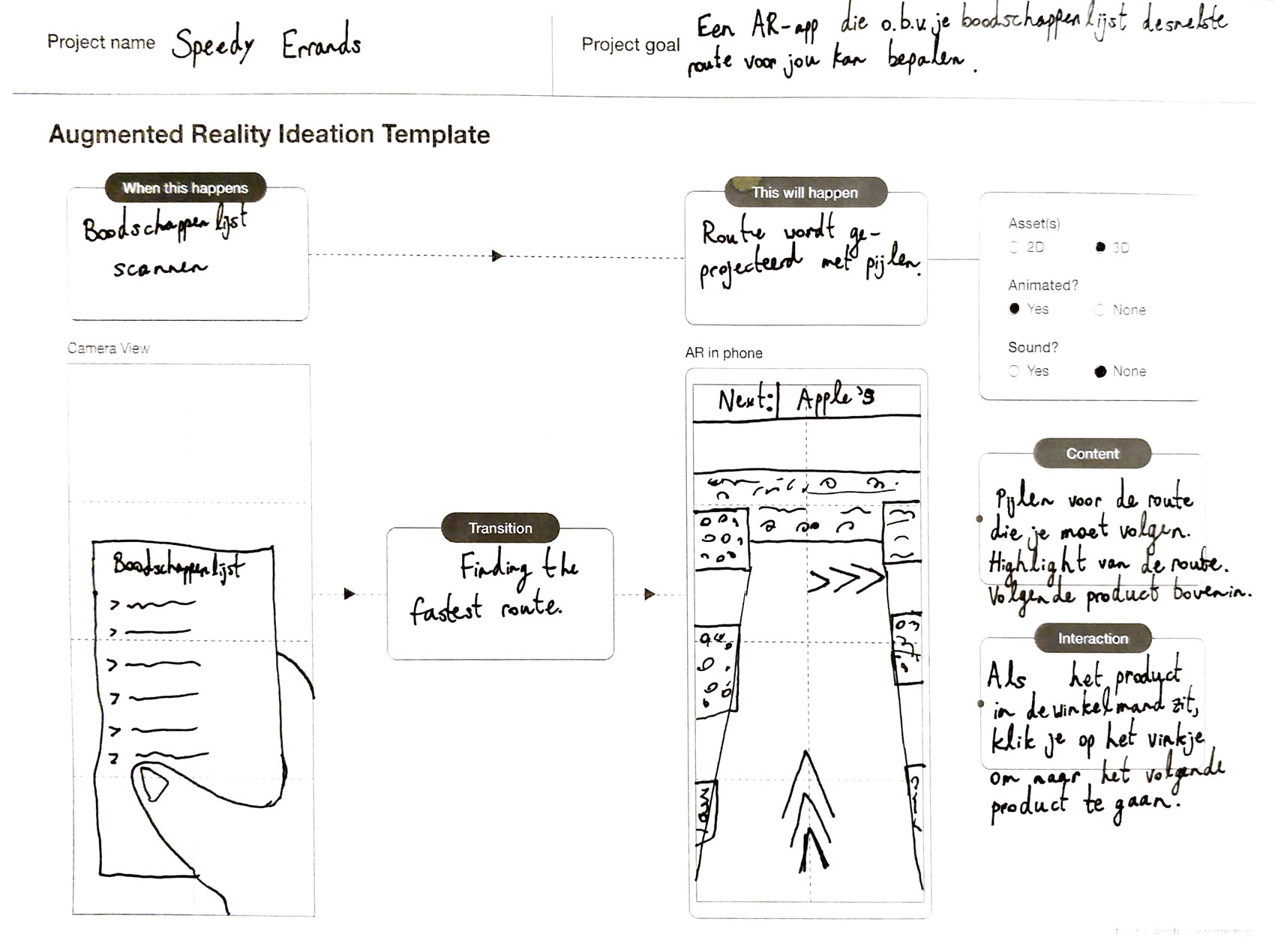
In the image above, I have filled in an Augmented Reality (AR) Ideation Template (in Dutch), to give a better impression of how my concept will look like in AR.
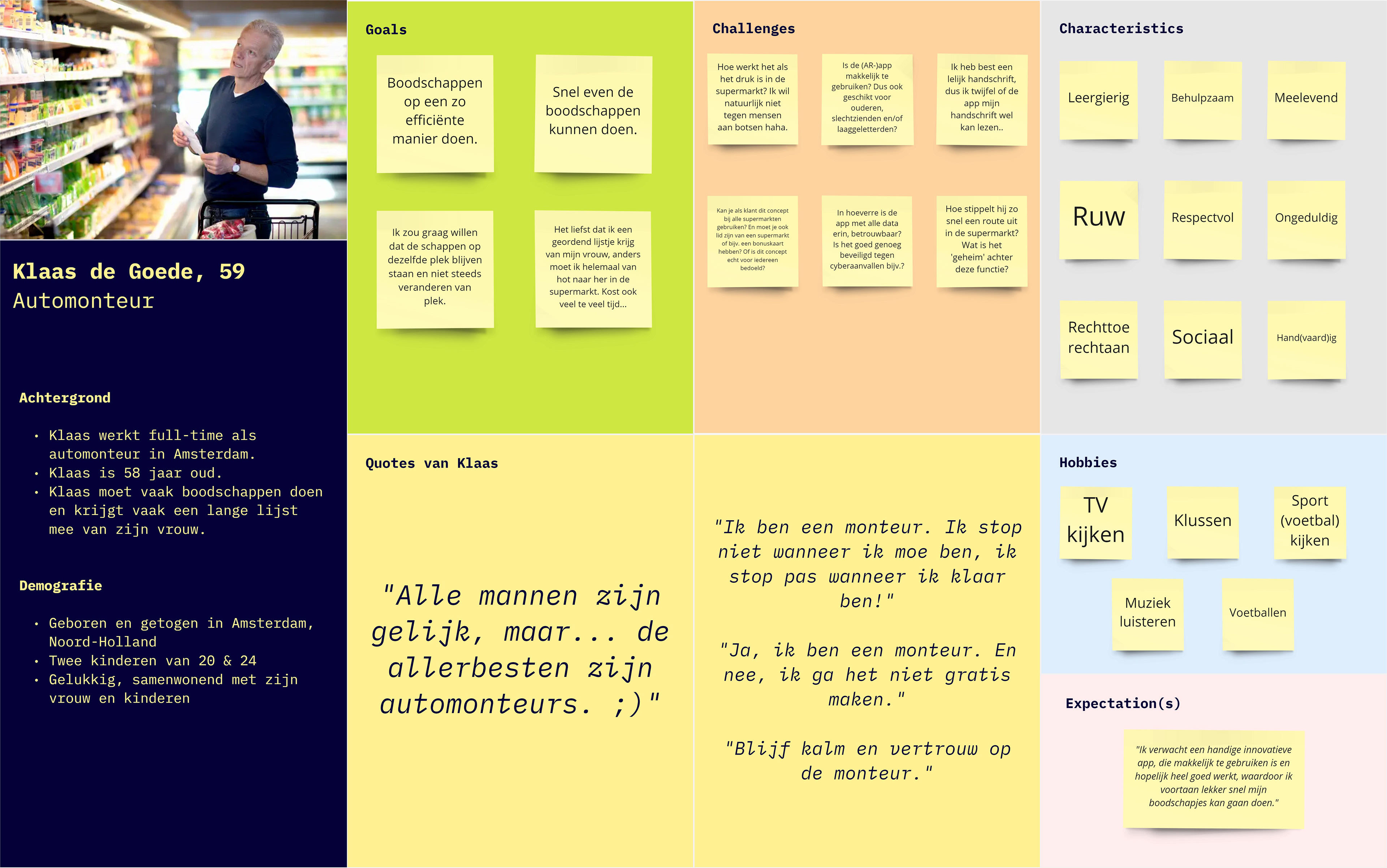
Persona created and used for the Speedy Errands AR App project.
Above is a persona I created for this Extended Reality (XR) — in my case specifically Augmented Reality (AR) — project, based on the current situation. The person represented in the persona is a middle-aged customer/shopper who moves back and forth through the supermarket — a process that becomes much more efficient and faster with the Speedy Errands AR App. This clear and well‑structured persona helped me get much closer to the target audience and better understand their goals, challenges (pain points), personality, and expectations related to this activity (grocery shopping — hence the name of the app, ‘Speedy Errands’).
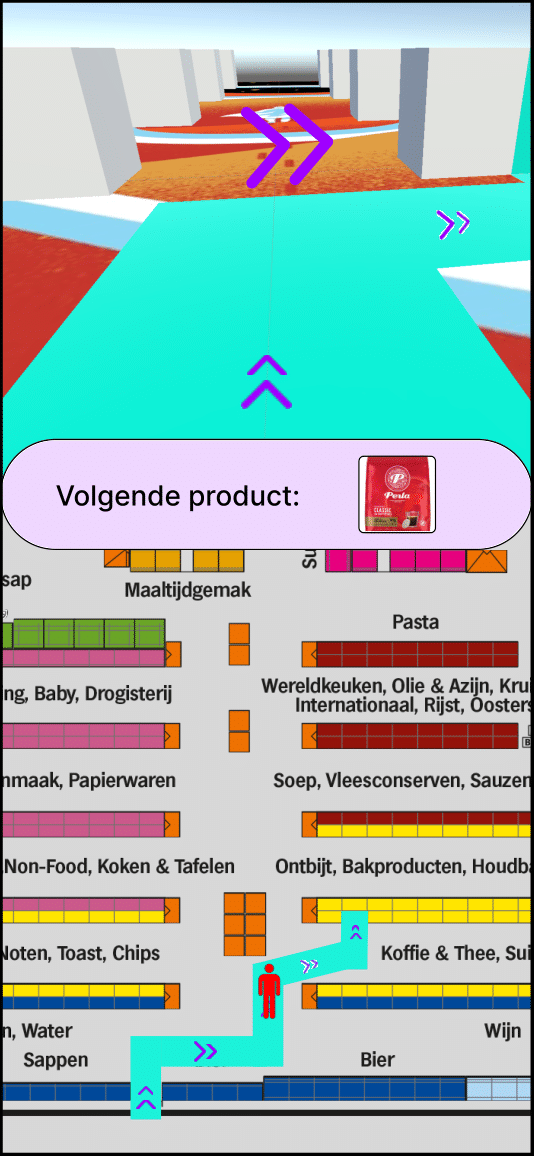
A wireframe of how the app will look like, with a map at the bottom half, showing the user’s exact location in the supermarket, and at the top half, the live view from the smartphone camera. In this view, the route — or the wayfinding to the next product — is projected in Augmented Reality (AR) on the user’s device.
How do you intend to achieve this with Extended Reality (XR)?
An AR application that — based on your (uploaded) shopping list — can determine the fastest route for you and project it within the supermarket. The user then sees, either through the camera in the accompanying AR app (or optionally with AR glasses), the fastest route in the respective supermarket(s).
The user first needs to have their shopping list read or scanned by the app. Based on that, the app determines the fastest route and, if needed, reorders the shopping list. On the app, the user then sees the live camera view with AR arrows displayed, and the route is also marked on the ground in a specific color.
Finally, the next product the user is guided to, is clearly displayed at the top. With this concept, the aim is to help people move more quickly through supermarkets while doing their groceries. It will be particularly effective when entering a supermarket that is unfamiliar to the user.
An AR application that — based on your (uploaded) shopping list — can determine the fastest route for you and project it within the supermarket. The user then sees, either through the camera in the accompanying AR app (or optionally with AR glasses), the fastest route in the respective supermarket(s).
The user first needs to have their shopping list read or scanned by the app. Based on that, the app determines the fastest route and, if needed, reorders the shopping list. On the app, the user then sees the live camera view with AR arrows displayed, and the route is also marked on the ground in a specific color.
Finally, the next product the user is guided to, is clearly displayed at the top. With this concept, the aim is to help people move more quickly through supermarkets while doing their groceries. It will be particularly effective when entering a supermarket that is unfamiliar to the user.
What is the added value of your Extended Reality (XR) solution in relation to the current situation or a similar non‑XR solution?
The added value is that the Speedy Errands AR app provides the user with a clear overview of product locations in (unfamiliar) supermarkets. The app generates a route based on the uploaded shopping list, with the items organized according to their exact position in the store and on the shelves. As a result, the user avoids unnecessary searching and inefficient back‑and‑forth movement through the supermarket.
In summary, this represents a far more efficient way of shopping/doing groceries. 🛒
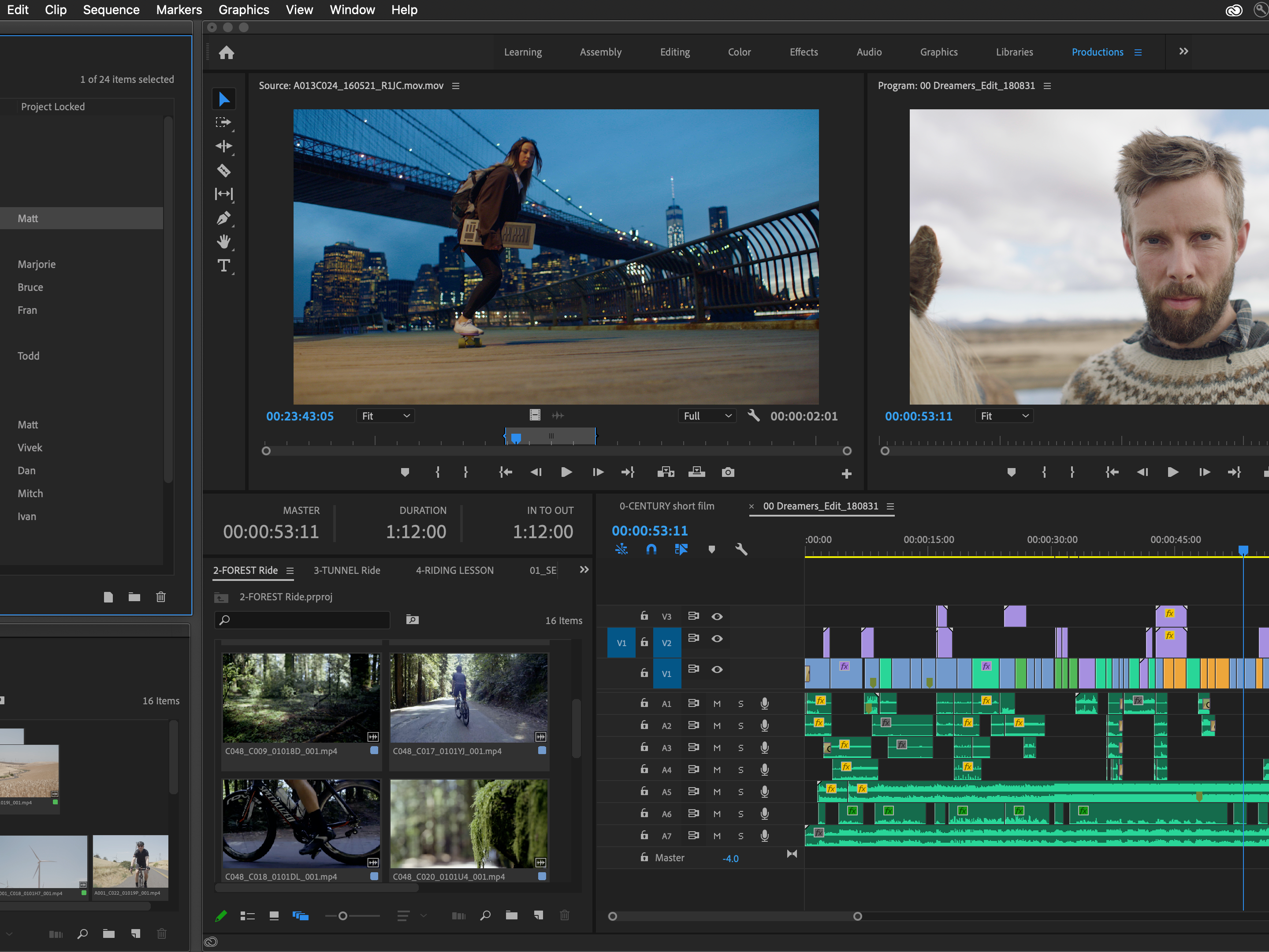
The prototype, demonstrated in the accompanying video, was created in Unity.
The added value is that the Speedy Errands AR app provides the user with a clear overview of product locations in (unfamiliar) supermarkets. The app generates a route based on the uploaded shopping list, with the items organized according to their exact position in the store and on the shelves. As a result, the user avoids unnecessary searching and inefficient back‑and‑forth movement through the supermarket.
In summary, this represents a far more efficient way of shopping/doing groceries. 🛒
The prototype, demonstrated in the accompanying video, was created in Unity.
The prototype created in Unity, shortly demonstrated in the video above.